ONE WORKSPACE. EVERYDAY RESTAURANT WORK.

See the whole service, not just one screen.

From the first order to the end-of-day report, Restro POS gives your team a connected view of the work happening across the restaurant.

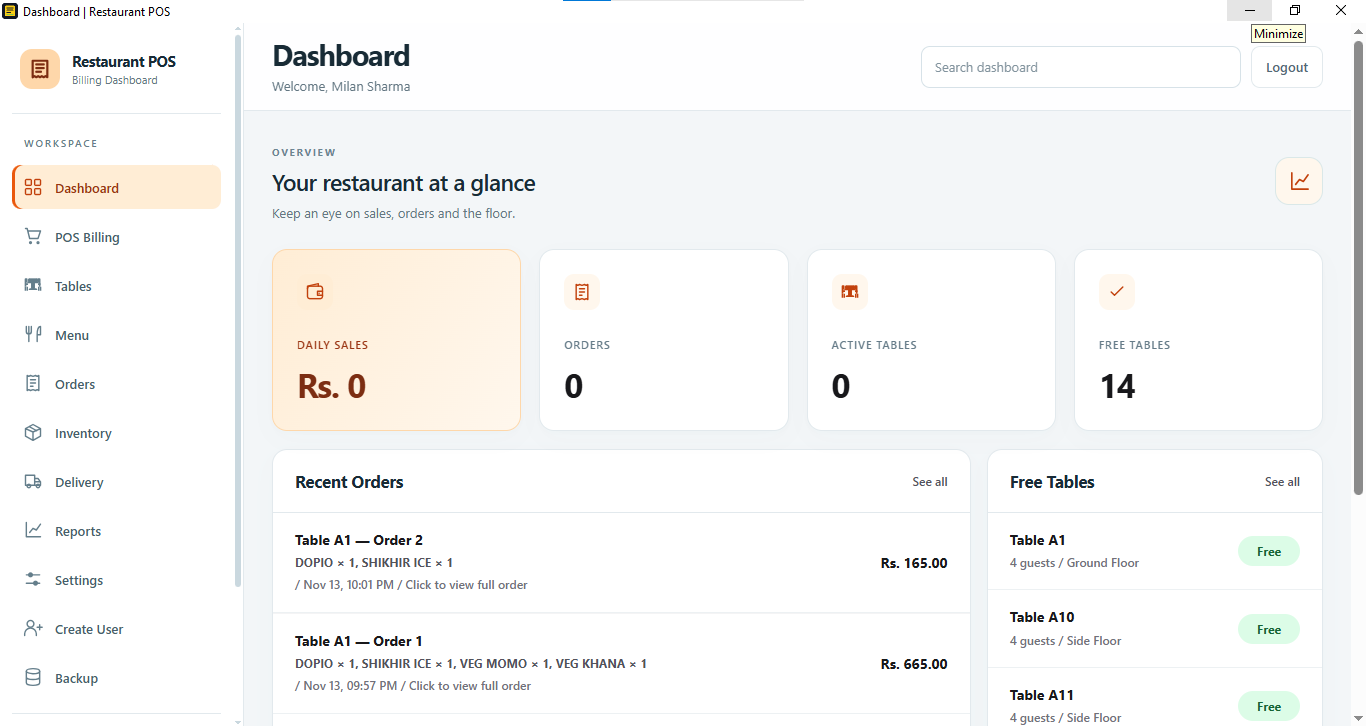
Restro POS dashboard showing daily sales, orders, active and free tables, recent orders and free tables Restaurant overview

01 / FRONT OF HOUSE

Keep service moving.

See your dining floor, take orders and follow bills through service with the tools shown in your POS workspace.

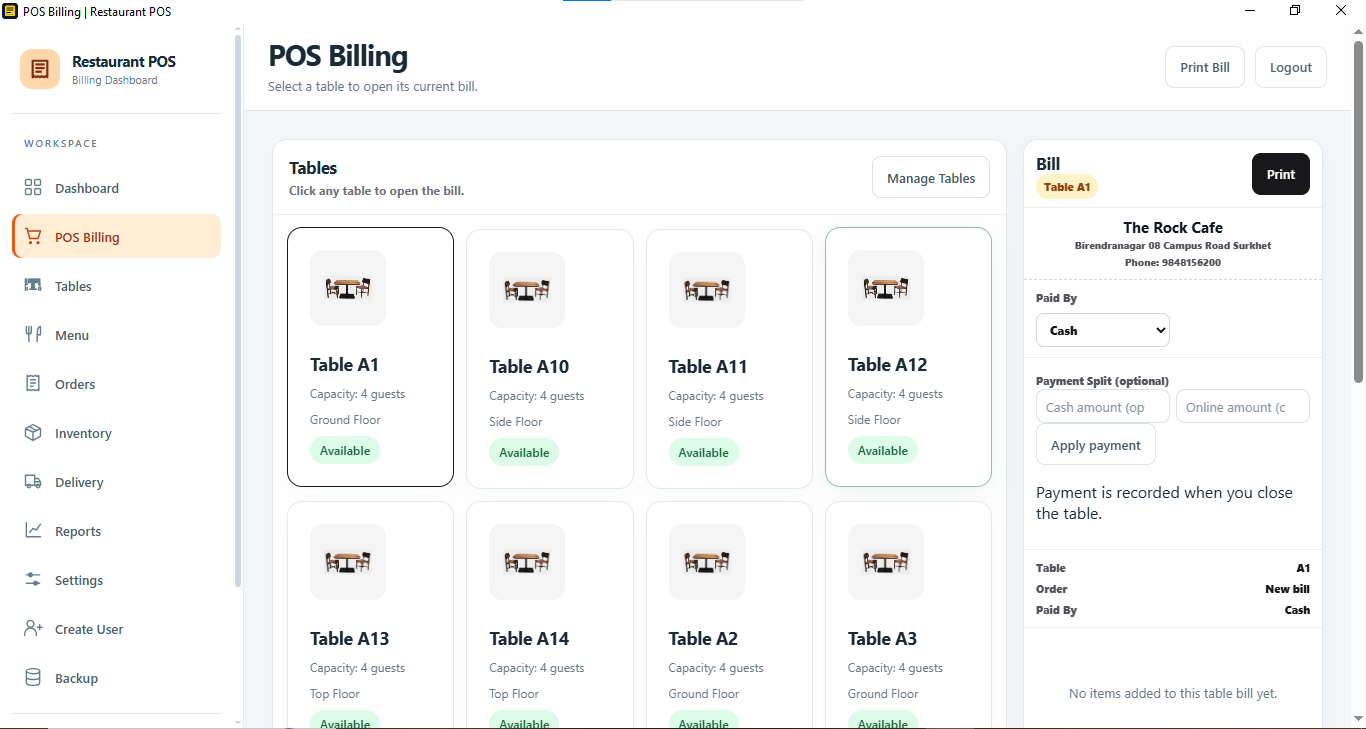
POS Billing screen with table cards, table capacity and status, and a bill panel with payment optionsPOS BILLING
01

Billing built around tables

Choose a table to view its bill, review payment details, record a split payment and print the bill from the billing screen.

  • Table availability and capacity at a glance
  • Bill summary alongside table selection
  • Cash, online and split payment controls
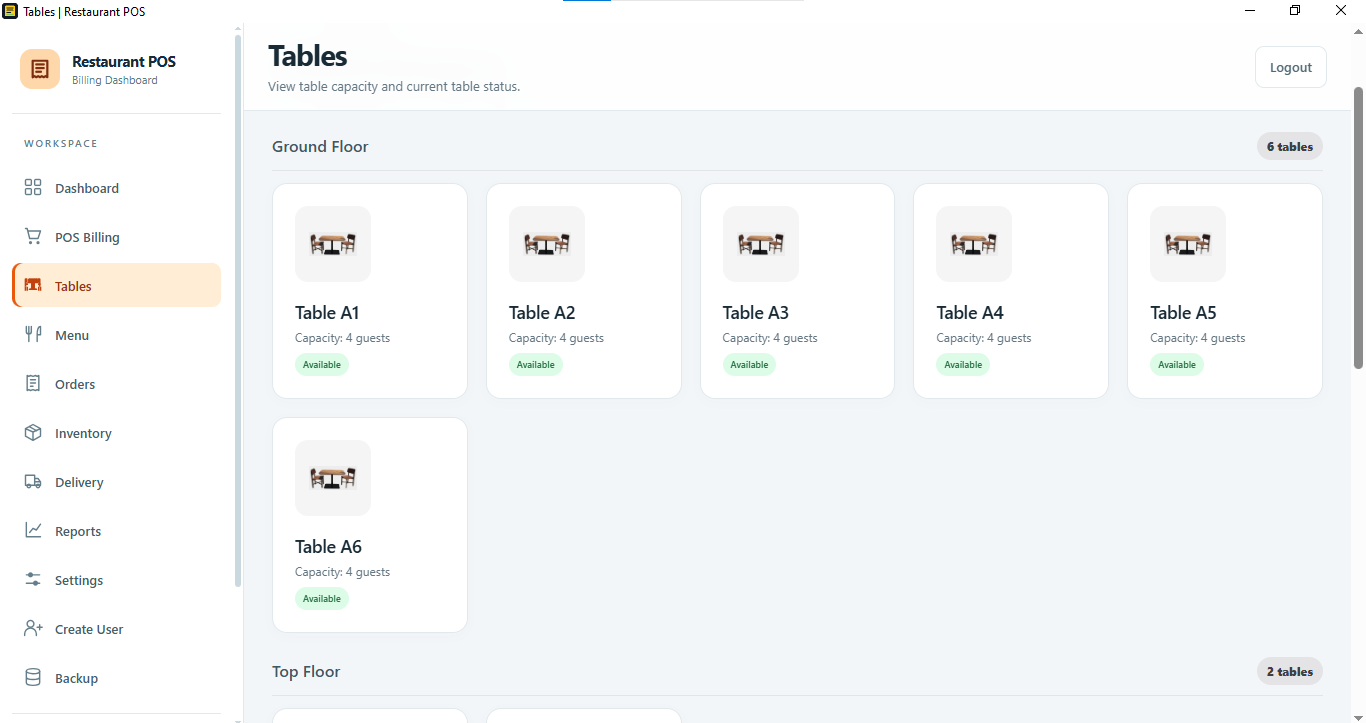
Tables screen grouped by floor with table numbers, guest capacity and availability statusTABLES & FLOORS
02

Know the floor

View tables by floor, check guest capacity and see which tables are available before seating guests.

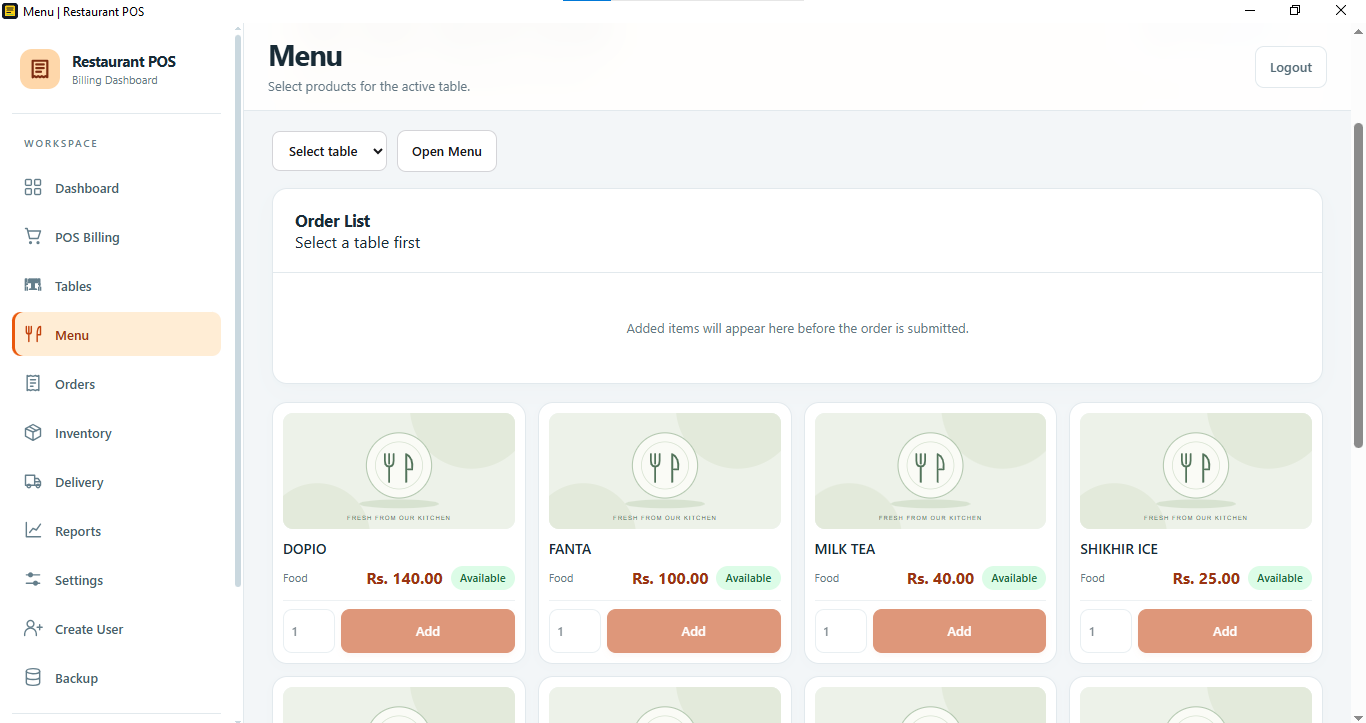
Menu screen with table selection, an order list, menu items, prices, availability and add controlsMENU & ORDERS
03

Build an order clearly

Select a table, browse menu items, set quantities and add available items to the order list.

02 / RESTAURANT OPERATIONS

Keep an eye on the business.

See the day’s activity and the operational details that help the team stay organized.

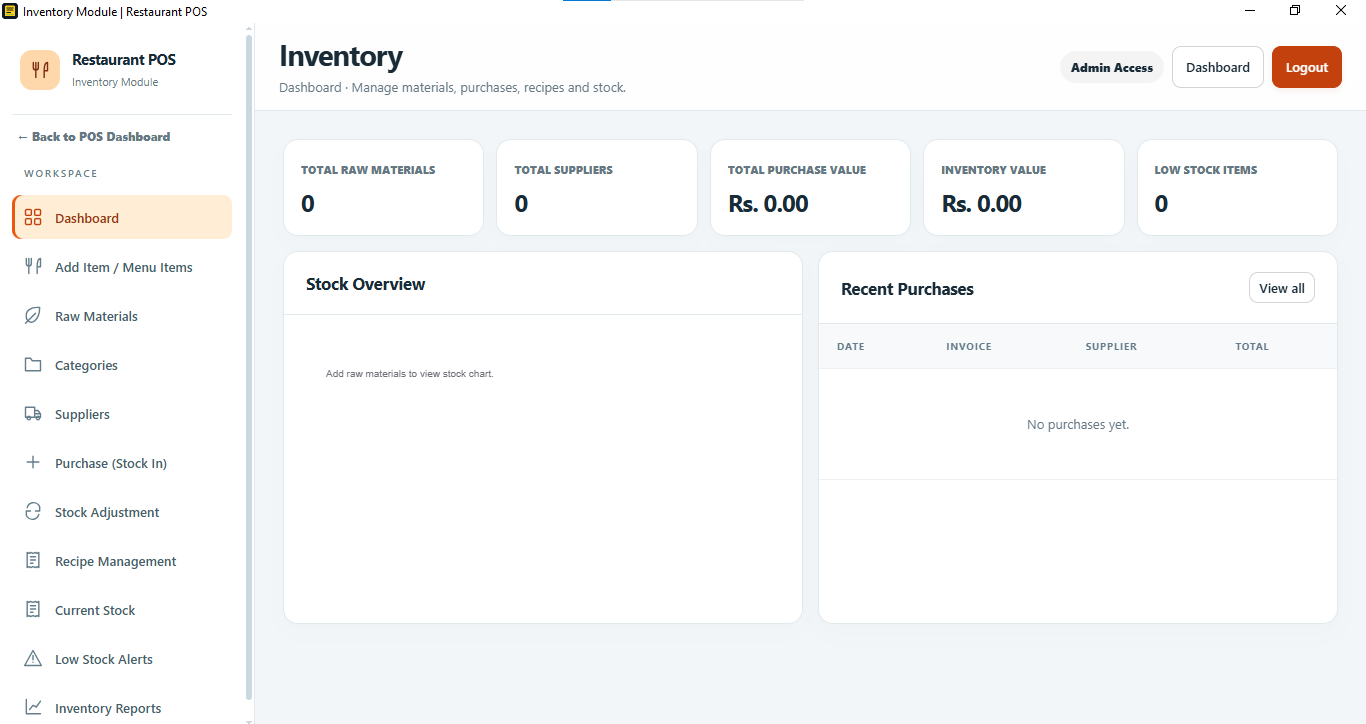
Inventory dashboard with raw material and supplier totals, purchase and stock values, low stock count, stock overview and recent purchasesINVENTORY
04

Track stock and supplies

Keep raw materials, suppliers, purchases, recipes and current stock in view, with low-stock alerts and inventory reporting.

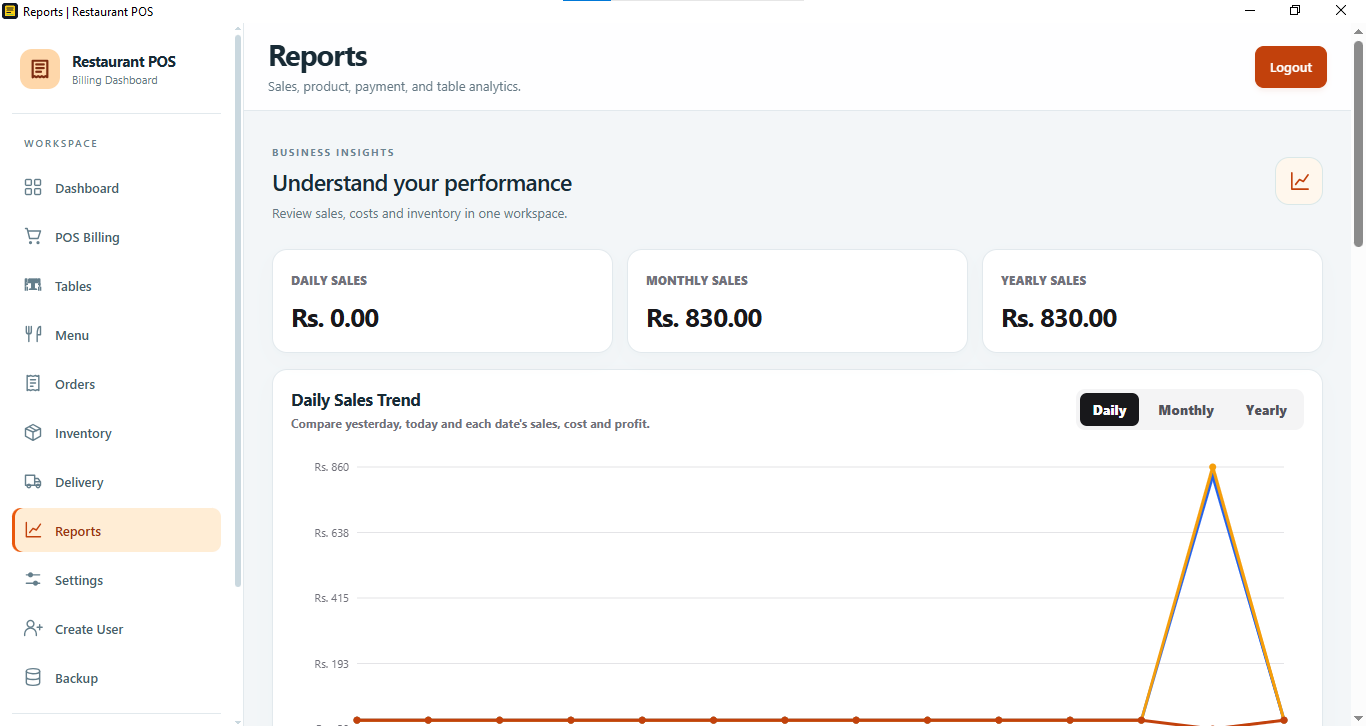
Reports dashboard with daily, monthly and yearly sales totals and a sales trend chartREPORTS
05

Understand performance

Review daily, monthly and yearly sales, and explore sales trends alongside cost, profit, product, payment and table analytics.

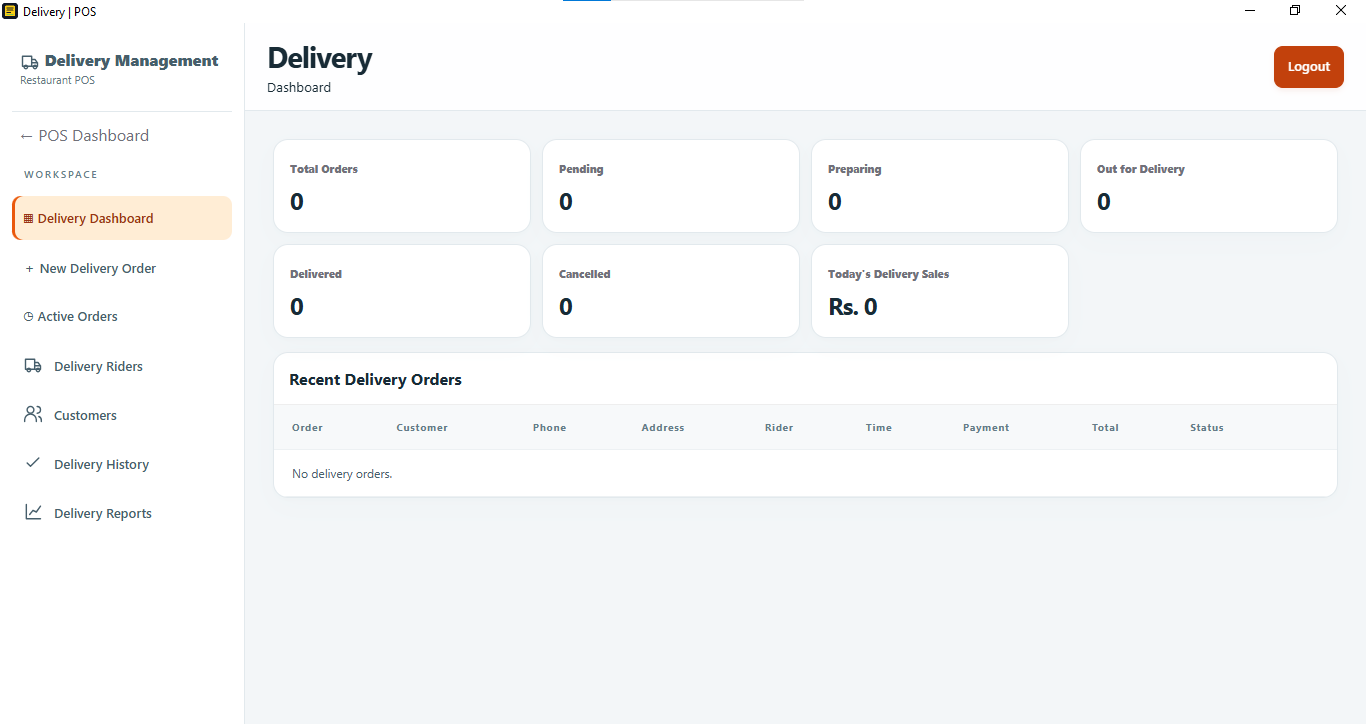
Delivery dashboard showing order status totals, today’s delivery sales and recent delivery ordersDELIVERY
06

Follow delivery orders

See order counts across pending, preparing, out-for-delivery, delivered and cancelled statuses, with recent orders and delivery sales.

03 / TEAM & SUPPORT

Give the team a clear way to work.

Manage access and configuration, and keep support conversations easy to find.

Settings screen with user creation, a user list, role status and role permissionsSETTINGS & ROLES
07

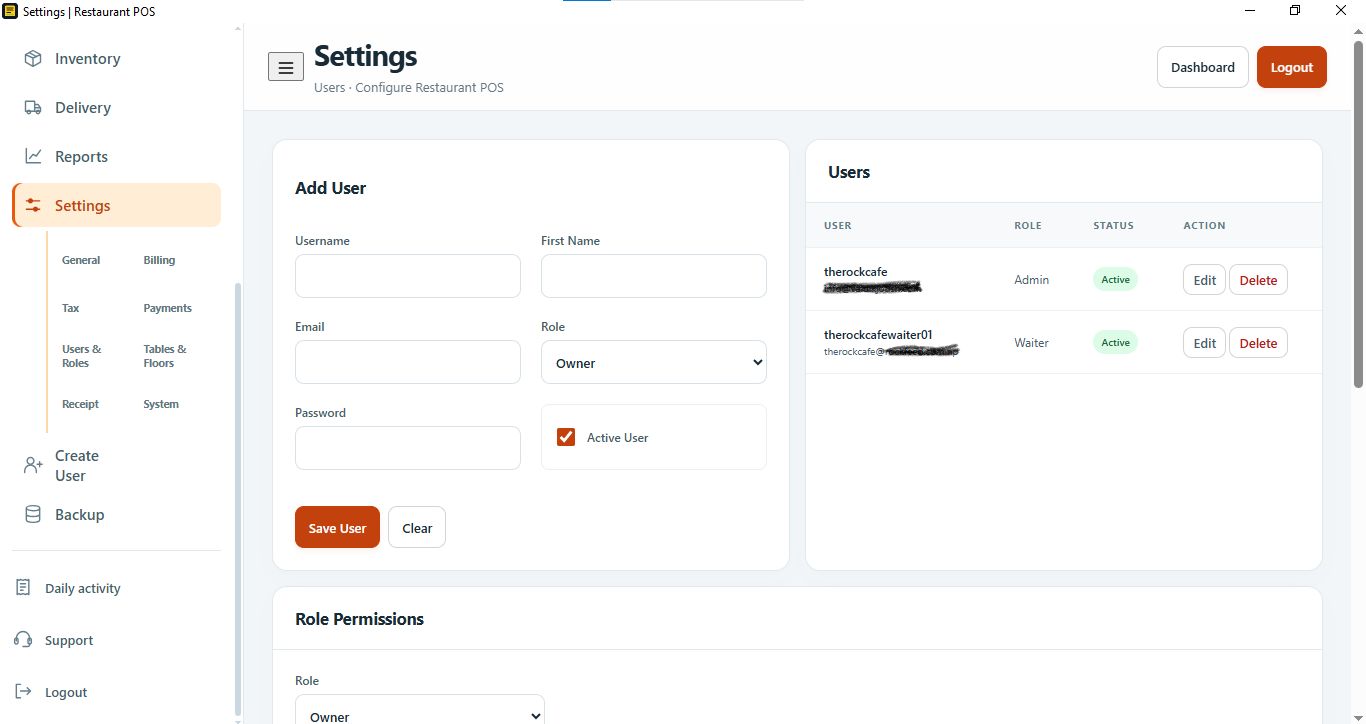
Manage users and access

Create users, assign roles and review permissions. The settings area also groups restaurant options for billing, tax, payments, tables and floors, receipts and system setup.

Support Center with a new ticket action and a list area for support conversationsSUPPORT CENTER
08

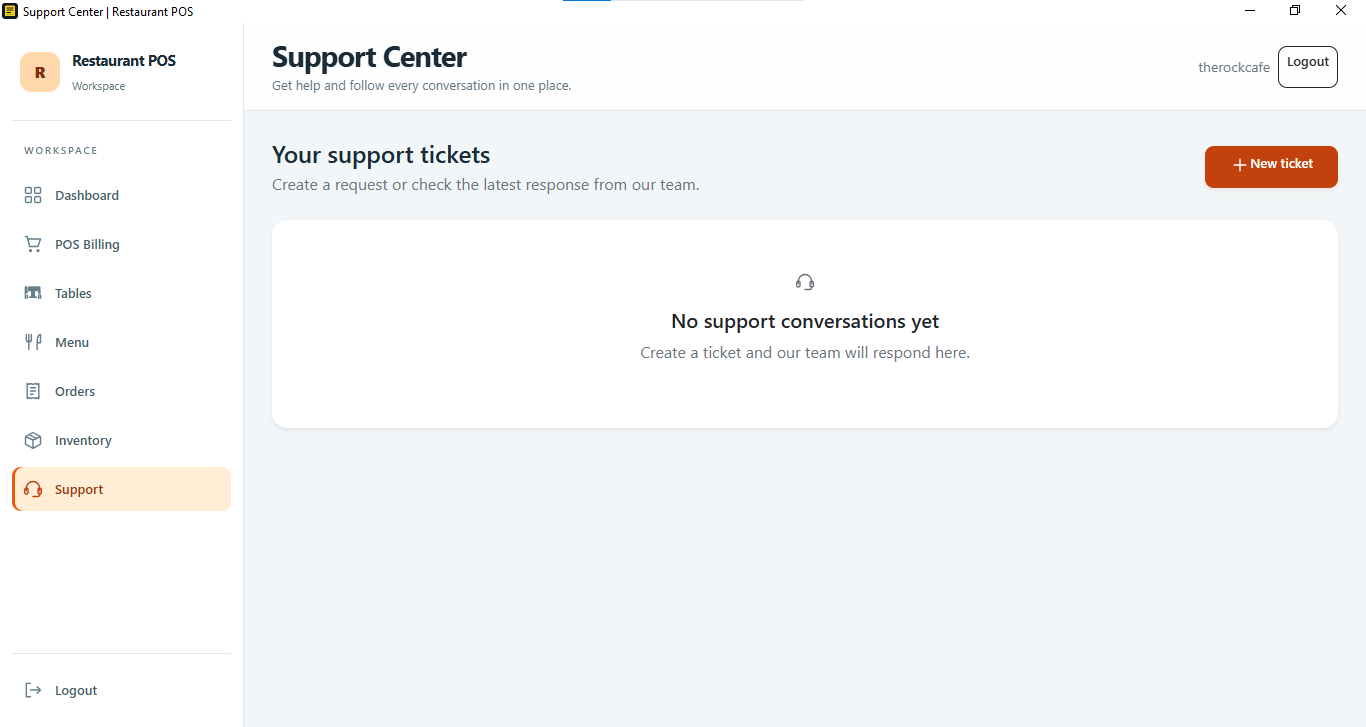
Keep support in one place

Create a support ticket and follow responses in the support workspace.